GLP Chart score badges.
Every program in our chart gets a free, embeddable score badge. Drop it on your homepage, your About page, or your media kit. Each badge is a single SVG, scales to any size and links back to your full review on glpchart.com.
Same rules as the rest of the site. No paid placements. The score on the badge is the same independent score on the chart. If your score moves on the next quarterly re-scoring, the badge updates automatically.
How to embed
Copy the snippet for your program below. Paste anywhere on your site. The badge will auto-update if your score changes; no manual refresh needed.
Each badge links back with a ?ref=badge tag, so we can see the clicks it sends. Nothing for you to set up.
Horizontal badge (320 × 80). The default.
Best for footers, sidebars, “featured on” strips, media-kit pages.
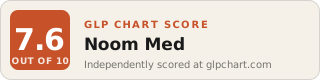
<a href="https://glpchart.com/program/noom-med/?ref=badge&utm_source=embed&utm_medium=badge&utm_campaign=noom-med" target="_blank" rel="noopener">
  <img src="https://glpchart.com/assets/badges/noom-med.svg"
       alt="GLP Chart Score: 8"
       width="320" height="80" />
</a>
<a href="https://glpchart.com/program/hims/?ref=badge&utm_source=embed&utm_medium=badge&utm_campaign=hims" target="_blank" rel="noopener">
  <img src="https://glpchart.com/assets/badges/hims.svg"
       alt="GLP Chart Score: 6"
       width="320" height="80" />
</a>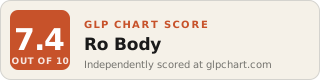
<a href="https://glpchart.com/program/ro/?ref=badge&utm_source=embed&utm_medium=badge&utm_campaign=ro" target="_blank" rel="noopener">
  <img src="https://glpchart.com/assets/badges/ro.svg"
       alt="GLP Chart Score: 7.5"
       width="320" height="80" />
</a>Square badge (200 × 200). For social and avatars.
Best for Twitter/X avatars, Instagram posts, OG cards, app icons.
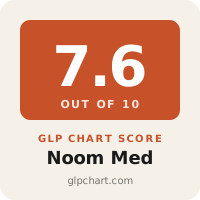
<a href="https://glpchart.com/program/noom-med/?ref=badge&utm_source=embed&utm_medium=badge&utm_campaign=noom-med" target="_blank" rel="noopener">
  <img src="https://glpchart.com/assets/badges/noom-med-square.svg"
       alt="GLP Chart Score: 8"
       width="200" height="200" />
</a>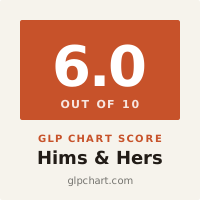
<a href="https://glpchart.com/program/hims/?ref=badge&utm_source=embed&utm_medium=badge&utm_campaign=hims" target="_blank" rel="noopener">
  <img src="https://glpchart.com/assets/badges/hims-square.svg"
       alt="GLP Chart Score: 6"
       width="200" height="200" />
</a>All program badges
Every program in the chart. Copy the embed code, or grab the raw SVG.
Usage rules (short)
- You can use the badge wherever you want, including paid ads and marketing materials. No license fee.
- Always link to your full review page on glpchart.com when displaying the badge. We track this; if you remove the link, we remove the badge.
- Do not edit the score number, the colors, the GLP Chart wordmark or the “OUT OF 10” text. Use the badge as-is or not at all.
- If your score changes on a future quarterly re-scoring, the live SVG updates automatically. There is no “cached” version we keep around if you scored higher last quarter.
- You cannot use this badge if you are not in the chart. The chart is the entry point. The badge is the artifact.
- If we delist your program for any reason (compliance, bad actor, business closure), we void your badge by serving a delisted placeholder. We will email you first.
Questions
Email hello@glpchart.com if you want a custom size, want the badge in your brand color, or have a partnership request.